Website Features Every Modern Business Needs
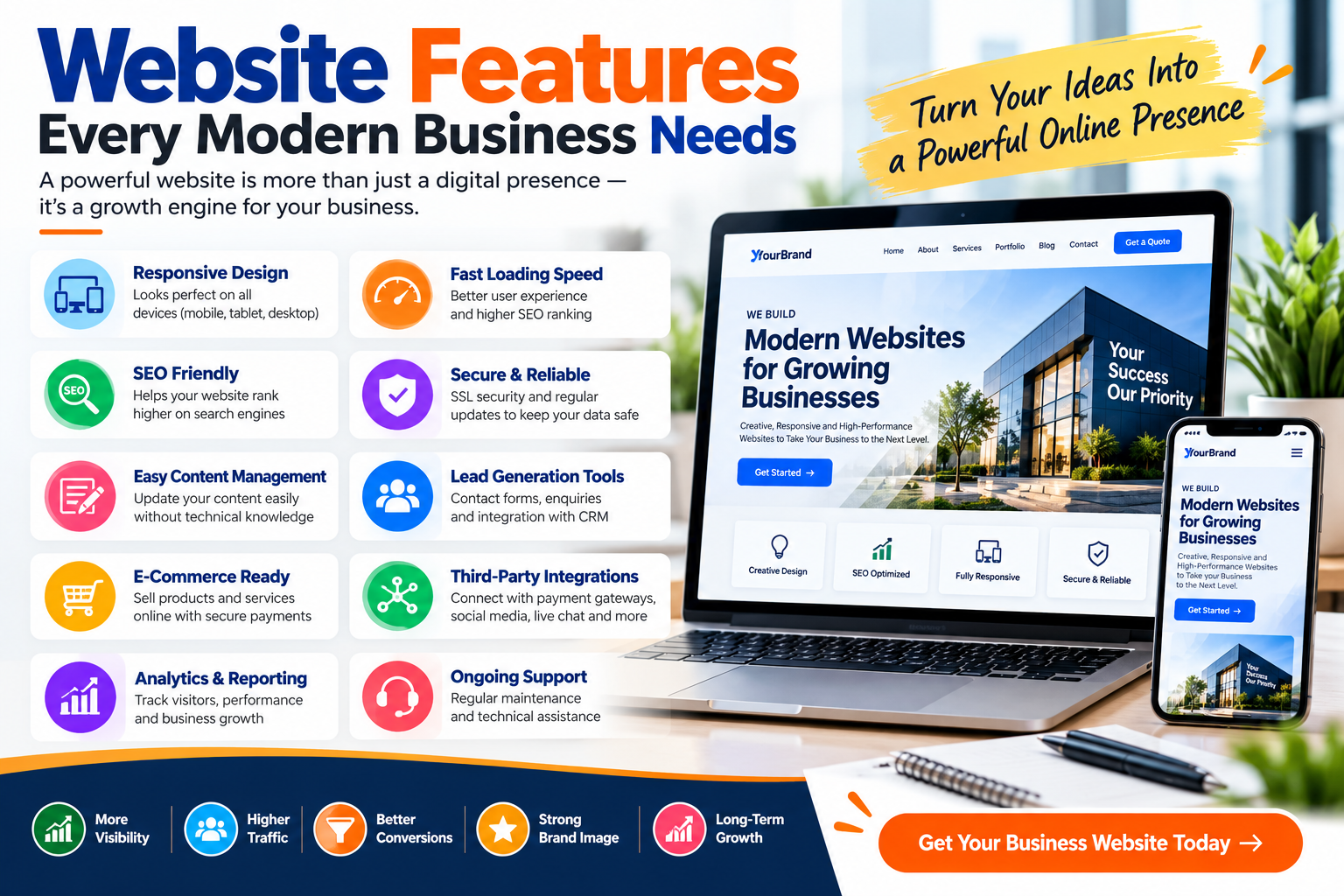
In today’s digital-first world, a business website is much more than an online brochure. It is often the first place potential customers visit to learn about a company, explore its products or services, compare options, check credibility, and decide whether to make contact or purchase.
Modern customers expect websites to be fast, professional, mobile-friendly, secure, informative, and easy to navigate. A website that looks outdated, loads slowly, or makes important information difficult to find can create a poor first impression and potentially send visitors to competitors.
For this reason, businesses need to think beyond attractive colors and images when developing a website. The right business website features can improve user experience, support search engine optimization, generate leads, build customer trust, and help turn website visitors into customers.
Whether you run a small business, startup, digital agency, educational institution, e-commerce store, restaurant, professional service company, or growing enterprise, certain website features have become increasingly important.
This article explores the website features every modern business needs, why they matter, and how they contribute to a successful online presence.
What Makes a Modern Business Website?
A modern business website combines attractive design with functionality, performance, accessibility, security, and usability.
It should make it easy for visitors to understand:
- Who the business is
- What products or services it offers
- Why customers should choose it
- How to contact the company
- Where the business operates
- What makes its products or services different
- What action visitors should take next
A modern website should also perform effectively across smartphones, tablets, laptops, and desktop computers.
Simply having a website is no longer enough. Businesses need a website that supports their broader marketing and customer acquisition strategy.
Essential Website Features at a Glance
| Website Feature | Main Purpose | Business Benefit |
|---|---|---|
| Responsive Design | Adapt to different devices | Better user experience |
| Fast Loading Speed | Load pages quickly | Improved engagement |
| Easy Navigation | Help visitors find information | Better usability |
| SSL Security | Protect data transmission | Increased trust |
| Contact Forms | Collect customer inquiries | Lead generation |
| SEO-Friendly Structure | Improve search visibility | Organic traffic potential |
| Clear CTAs | Encourage visitor actions | Better conversions |
| Testimonials | Demonstrate customer experience | Build credibility |
| Social Media Links | Connect digital channels | Better engagement |
| Analytics | Monitor website performance | Data-driven decisions |
| Blog | Publish useful content | SEO and authority |
| FAQ Section | Answer common questions | Reduce customer confusion |
| Search Function | Find content quickly | Improved navigation |
| Live Chat | Provide quick assistance | Customer support |
| CMS | Manage website content | Easier updates |
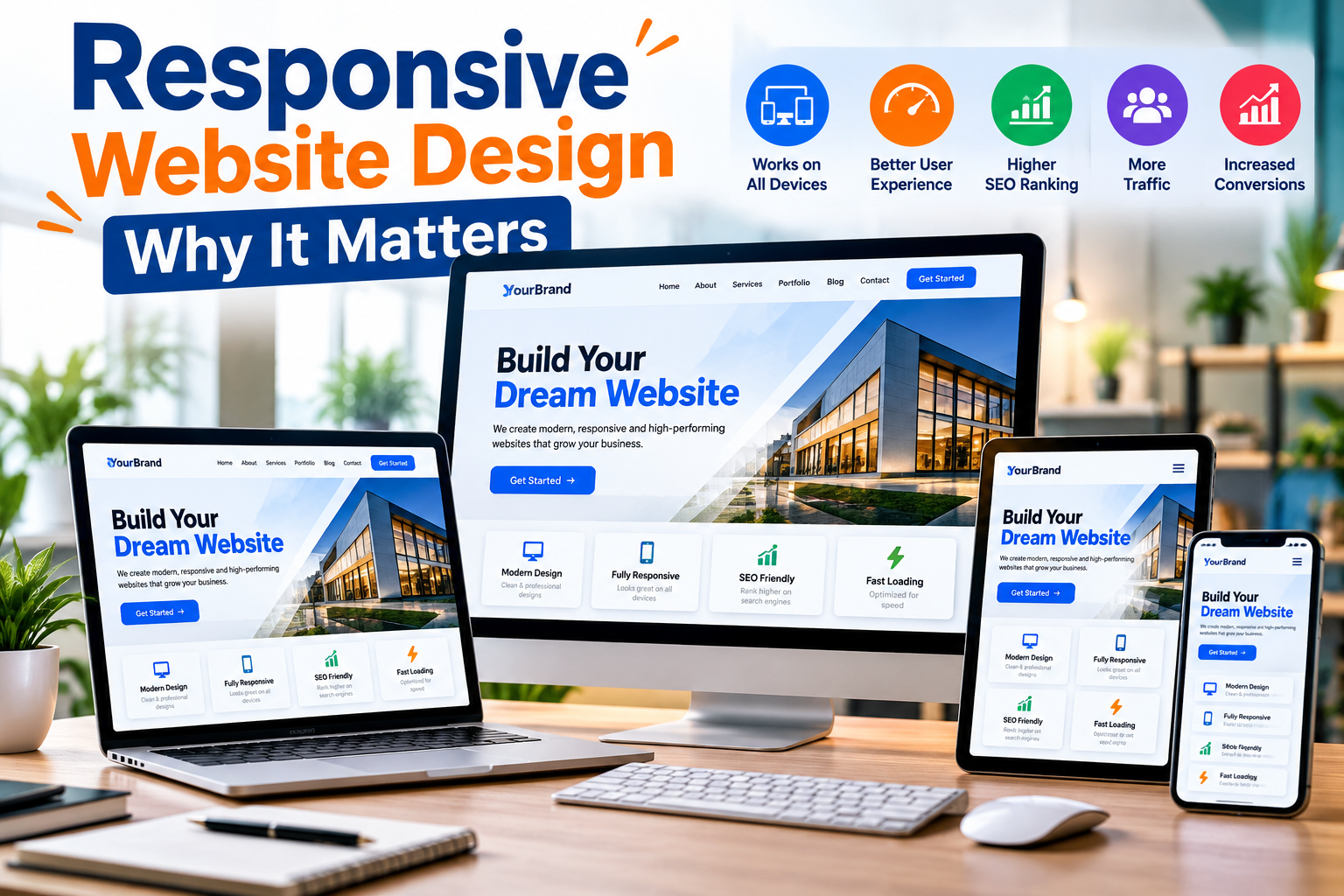
1. Responsive Website Design
Responsive design is one of the most important features of a modern business website.
Customers access websites from devices with different screen sizes. A website that looks excellent on a desktop computer may become difficult to use on a smartphone if it has not been designed responsively.
Responsive website design allows the layout, images, navigation, buttons, and text to adjust according to the visitor’s screen size.
For example, a desktop website may display several columns next to each other. On a smartphone, those columns can automatically stack vertically to make the content easier to read.
A responsive website helps provide a consistent experience across:
- Smartphones
- Tablets
- Laptops
- Desktop computers
- Different screen resolutions
For businesses, responsive design is particularly important because mobile visitors may be looking for immediate information such as services, prices, phone numbers, addresses, or contact options.
2. Fast Website Loading Speed
Website speed can have a significant impact on user experience.
Visitors generally do not want to wait unnecessarily for a page to load. If a website feels slow, users may leave before exploring the company’s products or services.
A modern business website should therefore be optimized for performance.
Common website speed optimization techniques include:
- Compressing images
- Using appropriately sized images
- Minifying CSS and JavaScript
- Reducing unnecessary scripts
- Implementing browser caching
- Using efficient hosting
- Optimizing database queries
- Lazy-loading suitable images
- Using modern image formats
Website speed is especially important for mobile visitors who may be browsing through slower network connections.
A visually impressive website is not very useful if visitors leave before it finishes loading.
3. Simple and User-Friendly Navigation
Navigation is the roadmap of a website.
Visitors should be able to quickly understand where they need to go. Complicated navigation structures can confuse users and make important information difficult to locate.
A business website typically needs clearly organized links such as:
- Home
- About Us
- Services
- Products
- Portfolio
- Blog
- FAQ
- Contact Us
The exact navigation structure will depend on the type of business.
For example, an e-commerce website may prioritize product categories, while a digital agency may highlight services, projects, testimonials, and contact information.
Navigation should remain consistent throughout the website so users do not need to relearn how to browse every page.
4. Professional Homepage
The homepage is often one of the most important pages on a business website.
It should immediately communicate what the business does and what value it provides.
Visitors should not have to scroll through multiple sections just to understand the company.
A strong homepage can include:
- Clear headline
- Short business introduction
- Primary products or services
- Key benefits
- Call-to-action buttons
- Testimonials
- Featured projects
- Contact information
- Trust indicators
The homepage should guide visitors toward the most important areas of the website.
For example, a service business may use buttons such as Get a Quote, Contact Us, or Explore Our Services.
5. Clear Call-to-Action Buttons
A call to action (CTA) tells visitors what they should do next.
Without clear CTAs, visitors may read website content but leave without contacting the company or taking another meaningful action.
Common CTA examples include:
- Contact Us
- Get a Quote
- Request a Demo
- Book an Appointment
- Buy Now
- Shop Now
- Call Now
- Learn More
- Start Your Project
- Subscribe Now
CTAs should be placed naturally throughout important pages.
For example, after explaining a service, the website can provide a button allowing interested visitors to request a quotation.
The objective is to make the next step obvious and convenient.
6. Contact Form
Every modern business website should provide an easy method for potential customers to contact the company.
A contact form allows visitors to submit inquiries without leaving the website.
A basic business contact form may request:
- Name
- Email address
- Phone number
- Subject
- Message
Businesses should avoid requesting unnecessary information because extremely long forms can discourage submissions.
For specialized services, additional fields can be added when they genuinely help qualify customer inquiries.
After submission, users should receive a clear confirmation indicating that their message has been received.
7. Visible Contact Information
Contact information should not be difficult to find.
Depending on the business, important details may include:
- Phone number
- Business email
- Office address
- Business hours
- Contact form
- Map location
Many businesses place essential contact information in the website header or footer so it remains accessible from multiple pages.
For mobile visitors, clickable phone numbers can make communication even easier.
A visitor who is ready to contact the company should not need to search extensively for a phone number or email address.
8. SSL Certificate and HTTPS Security
Website security is essential for modern businesses.
An SSL certificate enables encrypted communication between the visitor’s browser and the website server. Websites using SSL typically operate through HTTPS.
Security becomes particularly important when a website collects information through:
- Contact forms
- Registration forms
- Login systems
- Checkout pages
- Customer accounts
- Payment processes
However, HTTPS should be used even on informational business websites.
Businesses should also keep website software, frameworks, plugins, themes, and server environments updated where applicable.
Security is not a one-time task. It requires ongoing maintenance and monitoring.
9. SEO-Friendly Website Structure
A beautiful website has limited marketing value if potential customers cannot discover it.
Search engine optimization helps improve a website’s ability to appear for relevant searches.
A modern website should therefore have a strong technical foundation for SEO.
Important SEO elements can include:
- Descriptive page titles
- Meta descriptions
- Clean URLs
- Proper heading structure
- Internal linking
- Image alt text
- Mobile-friendly design
- Fast loading pages
- XML sitemap
- Structured data where appropriate
- Useful and original content
10. About Us Page
Potential customers often want to know who they are doing business with.
An effective About Us page can explain the company’s background, mission, expertise, values, experience, and approach.
Depending on the business, it may include:
- Company story
- Mission and vision
- Team information
- Experience
- Certifications
- Achievements
- Business values
- Why customers choose the company
The objective is not simply to write a long company biography.
The page should help visitors understand what makes the business credible and relevant to their needs.
11. Dedicated Service or Product Pages
Businesses should avoid placing every product or service on a single crowded page.
Creating dedicated pages allows the company to provide more useful information about each offering.
A service page can include:
- Service overview
- Key features
- Benefits
- Process
- Frequently asked questions
- Related projects
- Call to action
Dedicated pages can also provide more opportunities for SEO because each page can target relevant search topics naturally.
For example, a web development company may create separate pages for website design, e-commerce development, mobile application development, SEO, and digital marketing.
12. Customer Testimonials and Reviews
Trust plays an important role in online decision-making.
Visitors may not immediately believe promotional claims made by a company. Genuine customer testimonials can provide additional confidence.
Testimonials may include:
- Customer name
- Company name
- Feedback
- Rating
- Photo, when appropriate
- Service purchased
Businesses should only publish authentic testimonials and should obtain appropriate permission when displaying customer information.
Testimonials can be placed on the homepage, service pages, or a dedicated testimonial section.
13. Portfolio or Case Studies
Showing previous work can be more persuasive than simply describing capabilities.
A portfolio is particularly useful for businesses such as:
- Web development companies
- Digital agencies
- Graphic designers
- Architects
- Interior designers
- Marketing agencies
- Software companies
- Photographers
Instead of showing only screenshots, businesses can create case studies explaining the customer’s challenge, the solution provided, and the outcome.
This gives potential customers a better understanding of the company’s practical experience.
14. Business Blog
A blog can be a powerful feature for businesses that want to educate customers and build organic search visibility.
Businesses can publish articles about:
- Industry trends
- Customer questions
- Product guides
- Tutorials
- Service comparisons
- Business updates
- Case studies
- How-to guides
For example, a website development company could publish articles such as Responsive Website Design: Why It Matters or Website Features Every Modern Business Needs.
Useful content can attract visitors who are researching problems before they are ready to purchase.
A regularly maintained blog can also demonstrate expertise within a particular industry.
15. FAQ Section
Customers often ask the same questions repeatedly.
A Frequently Asked Questions section allows businesses to answer those questions directly on the website.
Common FAQ topics include:
- Pricing
- Delivery
- Project timelines
- Payment methods
- Service process
- Refund policies
- Support
- Product availability
FAQs can improve user experience because visitors can find answers without contacting the business for every basic question.
They can also strengthen important service pages by providing additional relevant information.
16. Website Search Functionality
For websites with a large amount of content, a search feature can significantly improve navigation.
Visitors may not want to browse several menus to find a specific product, article, service, or resource.
An internal search feature can help users quickly locate relevant information.
Website search is particularly useful for:
- E-commerce websites
- News websites
- Blogs
- Educational portals
- Knowledge bases
- Large corporate websites
Search functionality should provide relevant and understandable results.
17. Social Media Integration
Businesses frequently maintain profiles on social media platforms in addition to their websites.
Adding appropriate social links can help visitors connect with the company through their preferred channels.
Businesses may link to relevant platforms from the website header, footer, contact section, or blog.
Social sharing options may also be useful for articles and other shareable content.
However, businesses should avoid adding unnecessary social media widgets that negatively affect website speed or distract visitors.
18. Live Chat or Quick Customer Support
Some customers want answers immediately.
Live chat can allow visitors to communicate with a business while browsing the website.
Depending on the company, support options might include:
- Live chat
- Chatbot
- WhatsApp integration
- Support ticket system
- Contact form
The right option depends on available staff and customer requirements.
Businesses should avoid promising instant support if nobody is available to respond.
19. Google Maps or Location Information
Businesses with physical offices, stores, restaurants, clinics, training centers, or service locations should make location information easy to access.
A contact page can include an interactive map or clear directions.
Location information can be particularly useful for local customers searching from smartphones.
The business should ensure that its address, contact details, and opening hours remain accurate across its online presence.
20. Content Management System
A Content Management System (CMS) enables authorized users to manage website content without modifying source code for every update.
Depending on the system, administrators may be able to manage:
- Blog posts
- Services
- Products
- Images
- Team members
- Testimonials
- FAQs
- Contact information
- Portfolio projects
An effective CMS can reduce dependence on developers for routine content changes.
However, administrative access should be properly secured and restricted to authorized users.
21. Website Analytics
Businesses need to understand how their websites are performing.
Analytics tools can provide useful information about visitor behavior and traffic.
Businesses may monitor metrics such as:
- Website visitors
- Traffic sources
- Popular pages
- Device categories
- Engagement
- Conversions
- Form submissions
- Landing pages
Analytics helps businesses make decisions based on actual website usage rather than assumptions.
For example, if a particular service page receives substantial traffic but very few inquiries, the business can investigate whether the content, CTA, or user experience needs improvement.
22. Lead Generation Features
A modern business website should support business objectives.
For many service companies, one of the main objectives is generating qualified leads.
Lead generation features can include:
- Contact forms
- Quote request forms
- Consultation forms
- Newsletter subscriptions
- Downloadable resources
- Demo requests
- Appointment booking
Businesses should strategically place these features on relevant pages rather than overwhelming visitors with pop-ups and forms.
23. Newsletter Subscription
Email marketing can help businesses maintain relationships with potential and existing customers.
A newsletter subscription form allows interested visitors to voluntarily receive future updates.
Businesses may send:
- New blog articles
- Product announcements
- Company updates
- Offers
- Educational resources
Businesses should clearly explain what subscribers are signing up for and handle personal data responsibly.
24. Privacy Policy and Legal Pages
Professional business websites should include appropriate legal and policy information based on their activities and applicable requirements.
Common pages include:
- Privacy Policy
- Terms and Conditions
- Cookie information
- Refund Policy
- Shipping Policy
- Disclaimer
The exact legal pages required will vary depending on the business model, jurisdiction, data collection practices, and services offered.
Businesses should obtain appropriate professional advice when necessary rather than relying on generic policies that may not reflect their actual operations.
25. Accessibility Features
Modern websites should be usable by as many people as reasonably possible, including people with disabilities.
Accessibility considerations can include:
- Descriptive alternative text for meaningful images
- Keyboard-friendly navigation
- Proper heading hierarchy
- Sufficient contrast
- Clear form labels
- Descriptive links
- Captions or transcripts for relevant media
- Logical content structure
Accessibility is not only about compliance. It can also improve overall usability.
Clear headings, readable text, understandable forms, and logical navigation benefit many users.
26. Clear Website Footer
The footer is often overlooked, but it can provide useful navigation and business information.
A professional website footer may contain:
- Company name
- Logo
- Short company description
- Important page links
- Service links
- Contact information
- Social media links
- Privacy Policy
- Terms and Conditions
- Copyright information
The footer should remain organized rather than becoming a collection of unnecessary links.
27. Backup and Maintenance System
Launching a website is only the beginning.
Business websites require ongoing maintenance.
A maintenance strategy can include:
- Regular backups
- Security updates
- Software updates
- Broken-link checks
- Performance monitoring
- Form testing
- Content updates
- Security monitoring
Backups are especially important because they can help restore website data following technical problems, accidental changes, or other failures.
Businesses should determine how frequently backups are required based on how often website content and data change.
28. Conversion-Focused Landing Pages
Businesses running digital advertising campaigns should consider creating dedicated landing pages.
Sending every advertisement to the homepage may not always provide the most relevant experience.
A landing page can focus on one specific product, service, campaign, or offer.
An effective landing page may include:
- Strong headline
- Clear value proposition
- Benefits
- Supporting visuals
- Testimonials
- FAQ
- Contact form
- Strong CTA
The content should closely match the visitor’s reason for clicking the advertisement or link.
29. Consistent Branding
Every part of the website should reflect the company’s brand identity.
Consistency should be maintained across:
- Logo
- Colors
- Typography
- Images
- Icons
- Buttons
- Messaging
- Tone of voice
Consistent branding makes the website feel more professional and helps visitors recognize the business.
The objective is not to use excessive branding elements but to create a coherent visual identity throughout the website.
30. Scalable Website Architecture
Businesses change over time.
A small website today may require additional products, services, locations, team members, integrations, or functionality in the future.
Website architecture should therefore be designed with reasonable scalability in mind.
A scalable website can make it easier to add new features without rebuilding the entire platform.
This is particularly important for startups and growing businesses that expect their digital requirements to expand.
Modern Business Website Features Checklist
| Area | Essential Features |
|---|---|
| Design | Responsive layout, professional branding |
| Performance | Fast loading, optimized images |
| Navigation | Simple menu, internal search where needed |
| Security | HTTPS, updates, secure forms |
| SEO | Clean URLs, metadata, headings, internal links |
| Lead Generation | Forms, CTAs, quote requests |
| Trust | Testimonials, portfolio, company information |
| Content | Service pages, blog, FAQs |
| Communication | Phone, email, chat, contact form |
| Analytics | Traffic and conversion tracking |
| Accessibility | Readable and accessible interface |
| Maintenance | Backups, updates, monitoring |
Frequently Asked Questions
What are the most important features of a business website?
Some of the most important features include responsive design, fast loading speed, simple navigation, HTTPS security, contact forms, clear calls to action, SEO-friendly structure, service pages, testimonials, analytics, and accurate contact information.
Why does a modern business need a professional website?
A professional website provides customers with a central place to learn about a business, explore its products or services, evaluate credibility, and make contact or purchases. It can also support digital marketing, SEO, lead generation, and customer communication.
Should every business website be mobile-friendly?
Yes. Customers access websites through many different devices, particularly smartphones. Responsive design helps provide a better experience across different screen sizes.
Does a business website need a blog?
Not every business requires an extensive blog, but publishing useful, relevant content can support SEO, answer customer questions, demonstrate expertise, and attract potential customers through search.
What security features should a business website have?
At minimum, businesses should use HTTPS, maintain secure administrative access, keep website software updated, protect forms and user data, and implement appropriate backups and security monitoring.
How can a website generate more leads?
Businesses can improve lead generation by using clear CTAs, simple inquiry forms, dedicated service pages, landing pages, testimonials, useful content, and convenient contact options.
How often should a business website be updated?
Content should be updated whenever business information changes. Technical maintenance, security updates, backups, performance checks, and form testing should also be performed regularly.
Conclusion
A modern business website needs much more than an attractive design.
It should function as a complete digital platform that helps potential customers discover the business, understand its products or services, build trust, communicate with the company, and take meaningful action.
Important website features every modern business needs include responsive design, fast performance, simple navigation, HTTPS security, clear CTAs, contact forms, SEO-friendly architecture, testimonials, service pages, analytics, blogs, FAQs, accessibility, and regular maintenance.
However, businesses should not add features simply because they are popular. Every feature should serve a clear purpose and improve either the visitor experience or business operations.
A well-planned website combines design, performance, security, SEO, content, usability, and conversion optimization into one consistent experience.
For businesses investing in their online presence, the goal should not simply be to have a website. The goal should be to build a website that actively supports visibility, credibility, customer engagement, lead generation, and long-term business growth.
Need help with a project like this?
Tell us your requirement — we reply with a scope, timeline and quote within 24 hours.
Get a Free Quote →