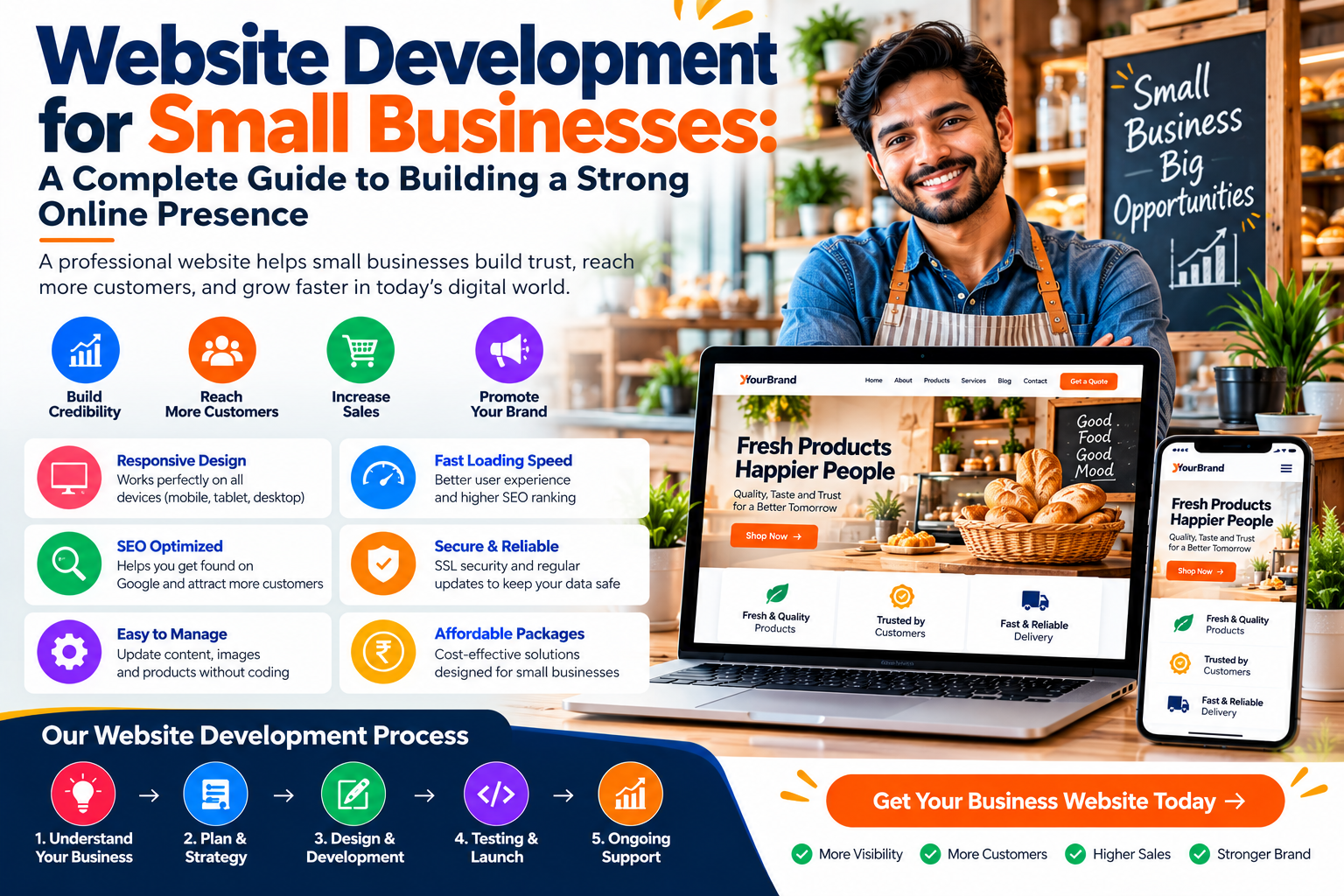
Website Development for Small Businesses: A Complete Guide to Building a Strong Online Presence
In today’s competitive digital marketplace, having a professional website is no longer limited to large companies. Customers increasingly search online before choosing a local service provider, purchasing a product, visiting a store, booking an appointment, or contacting a business.
This makes website development for small businesses an important part of building credibility, attracting customers, and growing a brand.
A professionally developed small business website acts as a digital storefront that remains accessible around the clock. It can introduce your company, showcase products and services, answer common customer questions, generate inquiries, and help potential customers find your business through search engines.
However, simply having a website is not enough.
A modern small business website should be responsive, fast, secure, SEO-friendly, easy to navigate, professionally designed, and focused on conversions.
Whether you operate a restaurant, retail store, consultancy, educational institute, digital agency, healthcare practice, real estate company, repair service, or another local business, the right website can become an important marketing and customer acquisition tool.
This guide explains the benefits, essential features, development process, SEO requirements, costs, and best practices for small business website development.
What Is Website Development for Small Businesses?
Website development for small businesses is the process of creating and maintaining a website designed around the needs, customers, products, services, and marketing objectives of a smaller organization.
The development process can include:
- Business requirement analysis
- Website planning
- UI/UX design
- Frontend development
- Backend development
- Content creation
- Mobile optimization
- SEO setup
- Security implementation
- Testing
- Website launch
- Ongoing maintenance
The complexity of the website depends on the business.
For example, a local consultancy may only need a professional website with service pages, contact information, testimonials, and inquiry forms.
A retail business may require an e-commerce website with product listings, shopping carts, payment options, and order management.
The website should therefore be designed according to the actual needs of the business rather than following a one-size-fits-all approach.
Why Small Businesses Need a Professional Website
Small businesses often rely on referrals, local advertising, social media, and word-of-mouth marketing.
These methods can be valuable, but a professional website provides something different: a digital platform that the business controls.
Potential customers can visit the website whenever they need information.
A website can explain:
- What the business does
- What services are available
- What products are offered
- Where the business is located
- How customers can contact the company
- Why customers should choose the business
- What previous customers say
- How to request a quotation or appointment
For small businesses trying to compete with larger companies, a professional website can help create a more credible and established online presence.
Benefits of Website Development for Small Businesses
| Benefit | How It Helps Small Businesses |
|---|---|
| Online Presence | Makes the business accessible online |
| Professional Credibility | Creates a stronger first impression |
| Local Visibility | Helps potential local customers discover the business |
| Lead Generation | Generates inquiries through forms and CTAs |
| 24/7 Information | Customers can access information anytime |
| SEO Opportunities | Helps attract organic search traffic |
| Product Showcase | Displays products and services professionally |
| Customer Communication | Provides convenient contact options |
| Digital Marketing | Supports social media and advertising campaigns |
| Business Growth | Provides a scalable platform for expansion |
1. Build a Professional Online Presence
One of the biggest advantages of having a website is establishing a professional digital presence.
When potential customers hear about your business, they may search for it online before making contact.
A professional website allows them to learn about your company immediately.
It can provide:
- Company overview
- Products and services
- Contact information
- Business location
- Opening hours
- Customer reviews
- Portfolio
- Frequently asked questions
Even a small local company can create a strong impression when its website is professionally designed and provides accurate information.
2. Increase Business Credibility
Trust is especially important for small businesses.
Customers may hesitate to purchase from or contact a company they know little about.
A well-designed website can help demonstrate that the business is legitimate, active, and professional.
Trust-building elements may include:
- About Us information
- Real contact details
- Customer testimonials
- Previous projects
- Certifications
- Team information
- Business address
- Privacy information
Businesses should avoid fake testimonials or misleading claims. Authentic information creates a stronger long-term foundation for customer trust.
3. Make Your Business Available 24/7
A physical office or store operates during specific hours, but a website can provide information 24 hours a day.
Customers can visit your website outside normal working hours to:
- Check services
- Browse products
- Read FAQs
- View pricing information
- Submit an inquiry
- Request a quotation
- Book an appointment
- Find contact information
This does not mean the business itself must provide 24/7 customer service.
Instead, the website acts as an always-available information and lead-generation platform.
4. Reach More Potential Customers
Traditional marketing can be geographically limited.
A website can help businesses reach people who are actively searching online for relevant products and services.
Depending on the business model, this may include customers within a local area, city, state, country, or even international markets.
Combining a professional website with SEO, social media marketing, content marketing, and paid advertising can create multiple channels for attracting potential customers.
5. Responsive Website Design
Modern customers use smartphones, tablets, laptops, and desktop computers to access websites.
A small business website should work effectively across these devices.
Responsive website design automatically adjusts the layout based on the user's screen size.
Important mobile-friendly elements include:
- Readable text
- Responsive images
- Simple navigation
- Touch-friendly buttons
- Properly sized forms
- Clear CTAs
- No unnecessary horizontal scrolling
A responsive website is particularly important for local businesses because potential customers may search for nearby services directly from their smartphones.
6. Fast Website Loading Speed
Visitors expect websites to load efficiently.
Slow pages can create frustration and may cause potential customers to leave.
Website performance can be improved through techniques such as:
- Image compression
- Appropriate image dimensions
- Browser caching
- Code optimization
- Lazy loading
- Efficient hosting
- Database optimization
- Removing unnecessary plugins
- Reducing excessive scripts
Businesses should aim for a balance between attractive design and efficient performance.
Large animations and high-resolution media should not be added without considering their impact on loading speed.
7. Simple and Clear Navigation
Small business websites should be easy to understand.
Visitors should quickly find the information they need.
A typical navigation structure might include:
- Home
- About Us
- Services
- Products
- Portfolio
- Blog
- FAQ
- Contact Us
Not every website needs all of these pages.
The navigation should reflect the actual business structure.
Avoid unnecessarily complicated menus because they can make it harder for visitors to reach important pages.
8. Clear Call-to-Action Buttons
A business website should guide visitors toward meaningful actions.
These actions are usually encouraged through call-to-action (CTA) buttons.
Examples include:
- Contact Us
- Call Now
- Get a Quote
- Book an Appointment
- Shop Now
- Request a Callback
- Learn More
- Send an Inquiry
CTAs should be clear and placed naturally throughout the website.
For example, a service page can end with a Get a Quote button so interested customers immediately know how to proceed.
9. Contact Forms and Contact Information
Potential customers should never have difficulty contacting a business.
Important contact information may include:
- Phone number
- Email address
- Office address
- Business hours
- Contact form
- Map location
A basic inquiry form may contain:
- Name
- Phone number
- Subject
- Message
Avoid asking customers to complete unnecessarily long forms.
For many small businesses, the objective is simply to collect enough information to begin a conversation.
10. SEO-Friendly Website Development
Search engine optimization can help small businesses improve their visibility for relevant searches.
SEO should be considered while developing the website rather than being added only after launch.
Important SEO elements include:
- Descriptive URLs
- SEO page titles
- Meta descriptions
- Proper H1, H2, and H3 headings
- Internal links
- Image alt text
- Responsive design
- Fast loading speed
- XML sitemap
- Useful original content
- Appropriate canonical tags
Each important product or service should have sufficient relevant information.
A small business should avoid copying content directly from competitors because original and useful content creates a better foundation for SEO and branding.
11. Local SEO for Small Businesses
Local SEO can be particularly important for businesses serving customers in specific geographic areas.
For example, a customer may search for:
“website development company near me”
“restaurant near me”
“computer institute in [city]”
“AC repair service in [city]”
A small business website can support local visibility by clearly presenting accurate business information, locations, service areas, and relevant local content.
Businesses with physical locations should maintain consistent information across their website and relevant business listings.
12. Create Dedicated Service Pages
Businesses offering multiple services should consider creating dedicated pages for important offerings.
For example, a digital company might have separate pages for:
- Website Development
- Mobile App Development
- SEO
- Digital Marketing
- E-Commerce Development
- Software Development
Dedicated pages provide enough space to explain each service properly.
A strong service page can include:
- Service overview
- Main features
- Benefits
- Work process
- Related projects
- FAQs
- Call to action
This structure can also help search engines better understand the website’s different services.
13. Showcase Products and Services Professionally
Customers want to understand exactly what they are purchasing.
A website should present products and services clearly.
For products, this may include:
- Product name
- Images
- Description
- Features
- Price where appropriate
- Variations
- Availability
- Purchase option
For services, it may include:
- Service description
- Benefits
- Process
- Pricing or quotation option
- FAQs
- Contact CTA
High-quality visuals and clear descriptions can make the website more informative and professional.
14. Customer Testimonials and Reviews
Customer testimonials can help small businesses build credibility.
Potential customers often want evidence that others have had positive experiences with the company.
Testimonials may include:
- Customer name
- Feedback
- Rating
- Service used
- Company name where relevant
Only genuine reviews should be published.
Businesses can place testimonials on the homepage, service pages, or a dedicated testimonial section.
15. Portfolio and Previous Work
For service-based businesses, a portfolio can demonstrate capabilities more effectively than marketing claims alone.
Businesses such as web developers, designers, architects, photographers, interior designers, contractors, and marketing agencies can showcase previous projects.
A portfolio entry may include:
- Project name
- Project image
- Customer requirement
- Services provided
- Technologies used
- Final result
Detailed case studies can be particularly effective when they explain the problem and how the business solved it.
16. Blog and Content Marketing
A business blog can support SEO and customer education.
Small businesses can publish useful articles addressing questions customers frequently search for.
Potential blog topics include:
- Buying guides
- Tutorials
- Industry updates
- Product comparisons
- Service guides
- Frequently asked questions
- Case studies
- Tips and advice
For example, a website development company could publish articles such as:
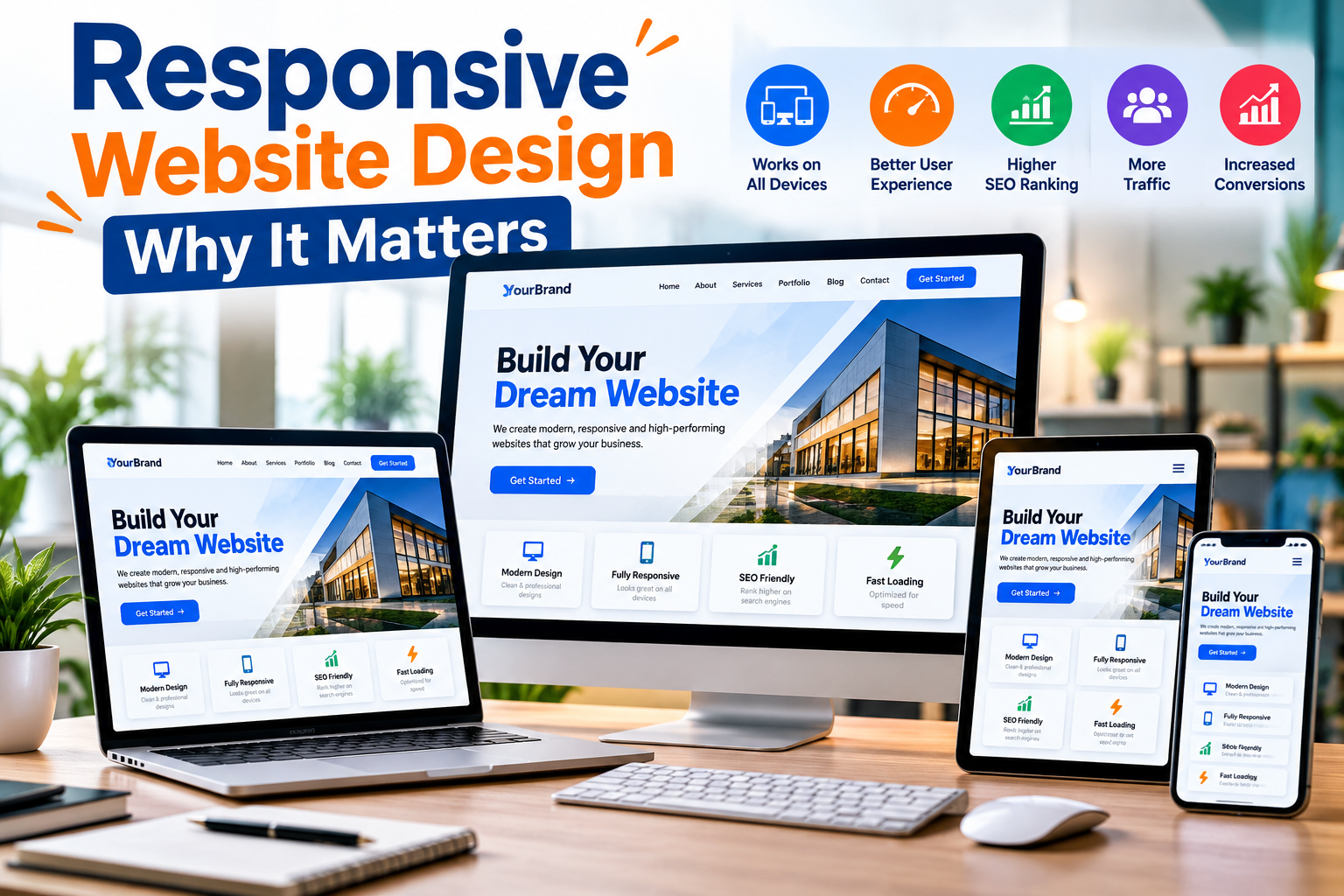
Responsive Website Design: Why It Matters
Website Features Every Modern Business Needs
Website Development for Startups
Website Development for Small Businesses
Useful content can attract potential customers at different stages of their buying journey.
17. Website Security and HTTPS
Security is important even for small websites.
A business website should use HTTPS to encrypt communication between the visitor's browser and the website server.
Additional security practices may include:
- Strong administrator passwords
- Regular software updates
- Secure authentication
- Access controls
- Regular backups
- Form protection
- Security monitoring
E-commerce websites and websites handling customer accounts or payments may require additional security controls.
Website security should be maintained continuously rather than considered complete after launch.
18. Social Media Integration
Small businesses frequently use social media to communicate with customers.
A website can link visitors to relevant social profiles and help connect different marketing channels.
Businesses can also share website articles, products, landing pages, and service pages through social media.
However, unnecessary social widgets should be avoided when they negatively affect website speed or distract users.
19. Google Maps and Location Information
Businesses serving customers from physical locations should make their address easy to find.
A Contact Us page can include:
- Complete address
- Map
- Phone number
- Business hours
- Directions
This can be especially useful for restaurants, shops, training institutes, clinics, salons, offices, and other local establishments.
Location information should remain accurate whenever the business moves or changes operating hours.
20. Website Analytics
Small businesses should understand how visitors interact with their websites.
Analytics can provide information about:
- Number of visitors
- Traffic sources
- Popular pages
- Landing pages
- Device types
- Engagement
- Conversions
- Form submissions
This information helps businesses evaluate marketing campaigns and identify areas for improvement.
For example, if a service page receives significant traffic but generates few inquiries, the company can review its content, CTA, pricing information, or form experience.
Small Business Website Development Process
| Development Stage | Main Activities |
|---|---|
| Requirement Analysis | Understand business objectives and customers |
| Planning | Decide pages, features, and website structure |
| UI/UX Design | Create professional layouts |
| Development | Build frontend and backend |
| Content Addition | Add text, images, products, and services |
| Mobile Optimization | Ensure responsive experience |
| SEO Setup | Configure metadata, URLs, headings, and sitemap |
| Testing | Check forms, links, browsers, and devices |
| Launch | Publish the website |
| Maintenance | Perform updates, backups, and improvements |
21. Static vs Dynamic Website for Small Businesses
Small businesses often need to choose between a static and dynamic website.
| Feature | Static Website | Dynamic Website |
|---|---|---|
| Best For | Basic business presence | Frequently updated websites |
| Content Updates | Usually manual | Easier through admin/CMS |
| Development Complexity | Lower | Higher |
| Blog | Less convenient | Easy to manage |
| Admin Panel | Usually not required | Common |
| Advanced Features | Limited | More flexible |
| Initial Cost | Generally lower | Generally higher |
| Scalability | Limited to moderate | Better for growing requirements |
A small company that only needs basic information online may start with a static website.
Businesses expecting frequent updates, blogs, products, portfolios, or other changing content may benefit from a dynamic website.
22. E-Commerce Development for Small Businesses
Small businesses selling physical or digital products may benefit from e-commerce functionality.
Important e-commerce features can include:
- Product categories
- Product search
- Shopping cart
- Checkout
- Payment integration
- Order tracking
- Customer accounts
- Inventory management
- Shipping information
- Order notifications
The shopping experience should remain simple on both desktop and mobile devices.
Businesses should also clearly communicate important policies related to shipping, returns, refunds, and privacy.
23. Website Maintenance
A website needs regular maintenance after launch.
Small business owners should plan for:
- Content updates
- Security updates
- Website backups
- Performance monitoring
- Broken link checks
- Contact form testing
- Software updates
- SEO monitoring
Outdated information can create customer confusion.
For example, incorrect phone numbers, old prices, outdated service details, or incorrect business hours should be corrected quickly.
24. Common Small Business Website Mistakes
Small businesses should avoid several common website development mistakes.
These include:
- Poor mobile design
- Slow loading pages
- Complicated navigation
- Missing contact information
- No clear CTA
- Outdated content
- Weak website security
- No SEO strategy
- No analytics
- Low-quality images
- Excessive animations
- Copying competitor content
- Long contact forms
- No website backups
A simple, professional, fast, and useful website is often more effective than a complicated website filled with unnecessary features.
Essential Small Business Website Features
| Feature | Importance |
|---|---|
| Responsive Design | Essential |
| Fast Loading | Essential |
| HTTPS Security | Essential |
| Contact Information | Essential |
| Contact Form | Essential |
| SEO-Friendly Structure | Essential |
| Clear CTA | Essential |
| Service/Product Pages | Essential |
| Testimonials | Recommended |
| Blog | Recommended |
| Analytics | Recommended |
| Maps | Important for Local Businesses |
| E-Commerce | Required for Online Stores |
| Live Chat | Based on Requirements |
| Admin Panel | Based on Website Type |
How Much Does Small Business Website Development Cost?
The cost of developing a small business website varies significantly depending on project requirements.
Important factors include:
- Number of pages
- Website type
- Custom design
- Responsive development
- CMS or admin panel
- E-commerce features
- Payment gateway
- Product quantity
- Custom functionality
- Third-party integrations
- SEO requirements
- Content requirements
- Hosting
- Maintenance
A basic informational website generally costs less than a custom dynamic website or e-commerce platform.
Instead of choosing a website solely based on the lowest price, small businesses should evaluate the overall value.
A website that is difficult to use, insecure, slow, or impossible to update may eventually require expensive redevelopment.
How to Choose a Website Development Company
Choosing the right development partner is an important decision for a small business.
Before hiring a website development company, consider:
- Previous projects
- Development experience
- Design quality
- Mobile responsiveness
- Technology expertise
- SEO knowledge
- Security practices
- Communication
- Maintenance support
- Pricing transparency
Businesses should clearly discuss what is included in the development package.
This may include design, development, hosting, domain configuration, SSL, SEO setup, content uploading, testing, and post-launch support.
Clear requirements can prevent misunderstandings later.
Frequently Asked Questions
Why does a small business need a website?
A website helps a small business establish an online presence, provide customers with useful information, build credibility, generate leads, promote products and services, and support digital marketing.
What should a small business website include?
A small business website should generally include a homepage, About Us page, product or service pages, contact information, inquiry options, responsive design, HTTPS security, SEO-friendly structure, and clear calls to action.
Is website development expensive for small businesses?
Website development costs depend on features, design, functionality, number of pages, integrations, and website type. A basic informational website generally requires a smaller investment than a custom e-commerce platform or web application.
Does a small business need SEO?
SEO can be particularly useful for businesses whose potential customers search online for their products or services. Local businesses may also benefit from local SEO strategies.
Should a small business website be mobile-friendly?
Yes. A responsive website provides a better experience for customers using smartphones, tablets, laptops, and desktops.
How long does it take to develop a small business website?
Development time depends on the website's complexity, number of pages, content availability, custom functionality, and revision process.
Can a small business sell products through its website?
Yes. An e-commerce website can allow businesses to display products, accept orders, process supported payments, and manage online sales.
Can I update my business website after it is launched?
Yes. Dynamic websites and websites with a CMS or admin panel can make routine content updates easier. The exact editing capabilities depend on how the website is developed.
Conclusion
Website development for small businesses is an important investment in building a professional and sustainable digital presence.
A well-developed website allows customers to discover your business, understand your products and services, evaluate your credibility, and contact you conveniently.
It can also support SEO, local search visibility, lead generation, digital advertising, social media marketing, e-commerce, and long-term business growth.
However, an effective small business website requires more than attractive visuals.
Businesses should focus on responsive design, fast loading speed, simple navigation, HTTPS security, clear calls to action, SEO-friendly architecture, useful content, contact options, analytics, and ongoing maintenance.
The website does not need to be unnecessarily complicated. It needs to solve customer problems and support clear business objectives.
Whether you are launching a new small business or upgrading an existing website, investing in a professional digital foundation can help your company compete more effectively in an increasingly online marketplace.
A website should not simply tell customers that your business exists. It should help turn online visitors into inquiries, leads, customers, and long-term business opportunities.
Need help with a project like this?
Tell us your requirement — we reply with a scope, timeline and quote within 24 hours.
Get a Free Quote →